

StartForce Reader is a free, simple utility to view and print PDF documents. The application is able to read both native and scanned PDFs, EPUB files, and also supports formats like SFPDF and PCDOC, which means it can be used to view files with encryption and password protection.
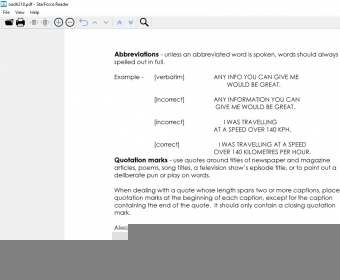
Packed with the most essential features, StarForce Reader aims to provide a straightforward and efficient PDF reading experience on Windows. Thus, the first thing you will notice upon launching the app, besides its limited number of features, is its simple layout design, with its controls organized in a single toolbar. You can browse through the contents of your books using the navigation panel with the 'next' and 'previous' buttons, view documents bookmarks, adjust page width, use the zoom control to enlarge or reduce pages, and view your documents in full-screen mode. Another convenient feature is the search tool, which will help you find specific words of phrases in your documents.
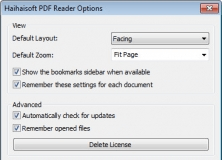
In difference with the most popular PDF viewers, StarForce Reader doesn't include any extra features, like document editing, annotations, or other advanced options. This makes it an ideal choice for those who want a tool for plain and simple PDF viewing. On the downside, one feature that I particularly like and is not present in this app is the possibility of opening multiple documents as tabs in the same window. more













Comments (1)